
4B parameters
The official release positions Mage-Flow as a compact 4B family, meaning it targets strong generation and editing quality without using tens of billions of parameters.
Learn how Mage-Flow, often searched as mage-flow, turns prompts into native-resolution images, supports instruction-based image editing, and delivers compact 4B performance with Base, RL-aligned, and 4-step Turbo variants.
Mage Flow AI Workbench
A Mage Flow AI prompt workspace for text-to-image, instruction edits, and launch-ready visual drafts.
Reference Image
Describe your idea
0/5000Aspect Ratio
Output Format
Recent Jobs
Prompt Gallery
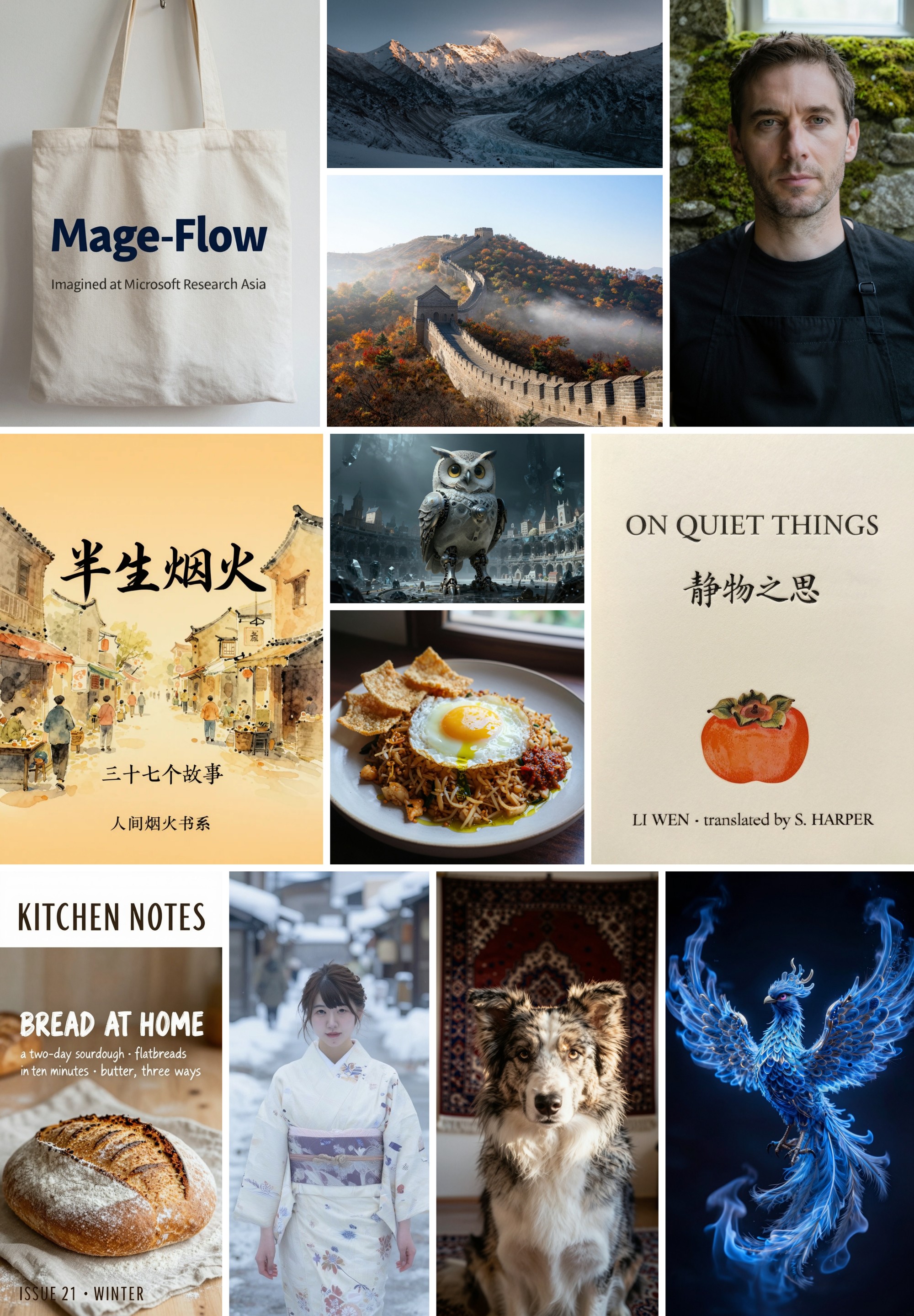
Start with reusable Mage Flow AI prompt patterns for product shots, portraits, posters, bilingual text rendering, native wide crops, and precise image edits.
What is Mage-Flow
Mage-Flow is Microsoft’s compact 4B image model family for text-to-image generation and instruction-based editing. In plain terms, it is built to make high-resolution image creation faster and lighter: 4B parameters, native 512-2048 output sizes, 4-step Turbo variants, and reported 1024x1024 latency of 0.59s for generation and 1.02s for editing on a single NVIDIA A100.
The official release positions Mage-Flow as a compact 4B family, meaning it targets strong generation and editing quality without using tens of billions of parameters.
The 4-step Turbo models are built for low-latency work. Microsoft reports 0.59s per 1024x1024 generation and 1.02s per edit on a single A100, with about 18-20 GB peak inference memory.
One checkpoint can generate flexible canvas sizes from 512 to 2048 pixels across many aspect ratios, including extreme 4:1 layouts such as 512x2048 or 2048x512.
Mage-Flow handles text-to-image prompts, while Mage-Flow-Edit supports semantic edits, appearance changes, restoration, object/content edits, and structure-aware outputs from a source image.
Mage Flow features
The official Mage-Flow stack combines Mage-VAE, native-resolution packing, fused CUDA kernels, RL alignment, and few-step distillation. For prompt planning, that means output size, text rendering, style, and edit boundaries should be explicit before generation.
Model capability
Use detailed prompts for subject, scene, camera, style, layout, and constraints, then specify the output ratio so Mage Flow AI can target square, vertical, wide, or extreme native-resolution images.
Try it now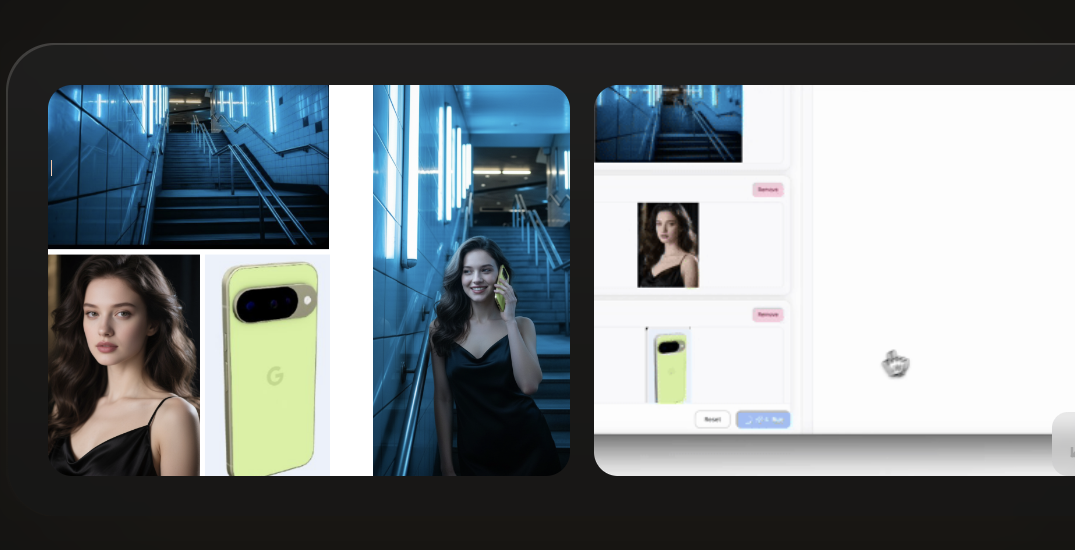
Model capability
Describe the exact region, object, background, or style that should change, and name what must stay untouched so Mage-Flow-Edit can preserve identity, composition, and the parts that already work.
Try it now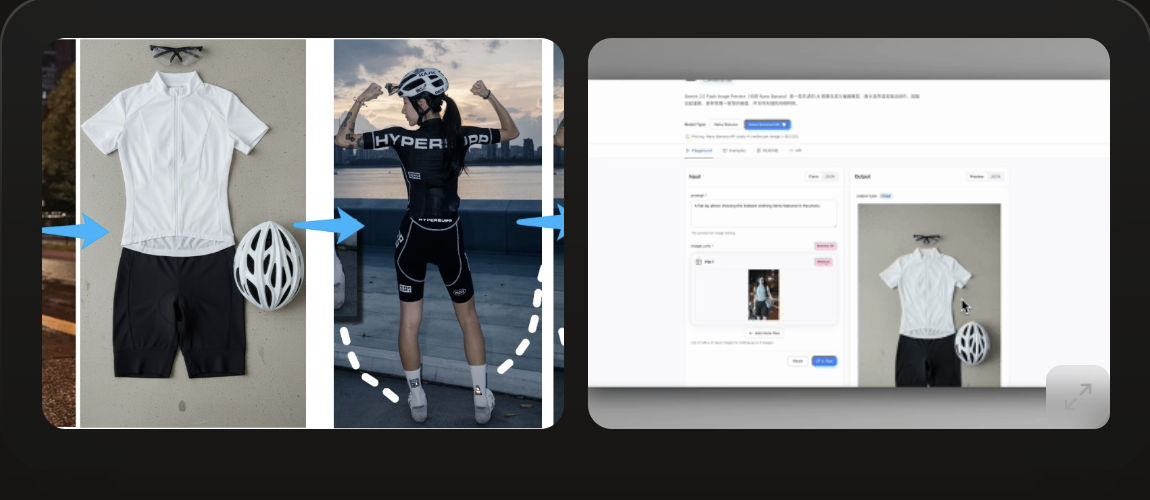
How it works
Keep the Mage Flow AI loop simple: understand the model capability, write a concrete prompt, test a first result, then refine the prompt or edit instruction.
01
Use text-to-image when you need a new visual direction. Use image edit when you already have a photo, product, portrait, room, or generated image to refine.
02
Mage-Flow is built for native-resolution output, so define whether the target is square, portrait, landscape, banner, or an extreme crop before writing style details.
03
Check whether the result followed the subject, style, text rendering, edit boundaries, and output format before changing the next prompt.
04
Improve one thing at a time: lighting, background, camera, expression, product clarity, text legibility, crop, or realism. This keeps the Mage Flow AI workflow controllable.
Pricing
Start free, then use credits or plans for Mage Flow AI image generation, prompt testing, image editing, and commercial visual workflows.
Perfect for trying out AI image generation and small projects.
Ideal for creators, designers, and content professionals.
For teams, agencies, and high-volume commercial use.
FAQ
Mage-Flow, also searched as mage-flow, is a Microsoft 4B-scale image generation and editing model family. Official materials describe it as a co-designed stack with Mage-VAE, a Native-Resolution Multimodal Diffusion Transformer, Base and RL-aligned checkpoints, plus 4-step Turbo variants.
Yes. The Mage Flow AI image generator is designed for text-to-image output, while Mage-Flow-Edit handles image editing from a source image plus an instruction.
The official paper emphasizes tokenizer, backbone, and system co-design. Mage-VAE reduces tokenization cost, and native-resolution packing helps one checkpoint work across many sizes and aspect ratios.
The paper reports that Mage-Flow-Turbo generates a 1024² image in 0.59 seconds on a single NVIDIA A100 GPU, while Mage-Flow-Edit-Turbo edits in 1.02 seconds.